
No. A matching plug and a suitable wattage are only part of the check. The panel also needs to match your station’s solar-input voltage and current limits, with the correct connector and connection method.
Start with the solar-input specifications for your exact station. Then compare them with the panel’s electrical specifications before buying a cable or adapter.
What do the three solar-input numbers mean?
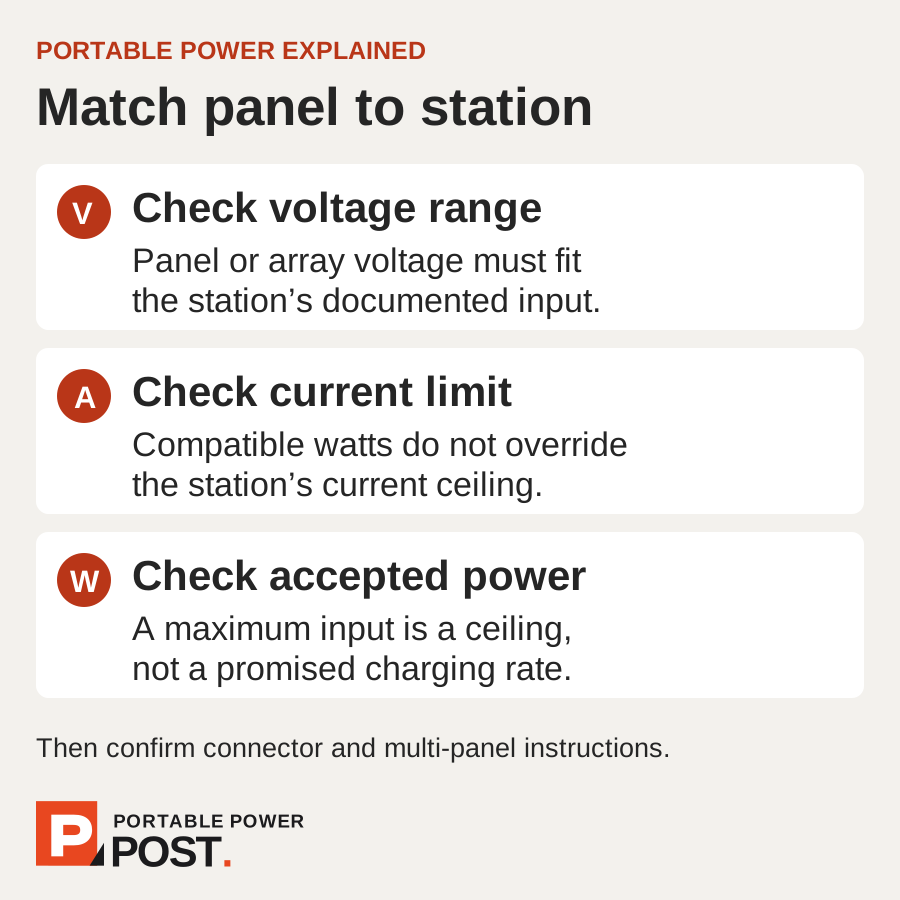
The EcoFlow RIVER 2 Max accepts solar input of 11–50 V, up to 13 A and a maximum of 220 W. Each number answers a different question:
- Voltage (V): is the panel or panel combination within the station’s permitted range?
- Current (A): does the setup meet the station’s current limit?
- Power (W): how much solar power can the station accept at most?
A panel advertised as “220 W” does not answer the first two questions. You still need its voltage and current specifications. If you want to connect several panels, check the instructions for that combination too.
The same applies to adapters: making the plugs fit does not settle the electrical checks.
Why won’t a 220 W panel always charge at 220 W?
Shade, panel angle and changing sunlight affect the power available. The station won’t receive its maximum solar input continuously.
For the RIVER 2 Max, dividing its 512 Wh battery capacity by its 220 W maximum solar input gives about 2.3 hours:
512 Wh ÷ 220 W ≈ 2.3 hours
That calculation assumes the full 220 W reaches the battery continuously, with no losses. It is not a realistic empty-to-full charging promise. EcoFlow advertises solar charging in as little as three hours; allow more time when conditions are less favourable.
A panel or array with a higher advertised rating cannot raise the station’s 220 W input ceiling. It still needs to meet the voltage, current and connection requirements.
Can you connect two panels?
Sometimes, but the permitted combination and accessories depend on the station.
The Jackery Explorer 500 v2 supports one 200 W panel or up to two 100 W panels, with a maximum solar input of 200 W. The two-panel setup requires the separately sold Jackery Solar Panel Connector. Both panels must match in maximum output power, open-circuit voltage and rated operating voltage.
If you already own a 100 W panel, check those details before buying a second one. Another “100 W” label alone is not enough to confirm a matching pair.
Use the connection instructions for your exact station. The Explorer 500 v2 setup is not a wiring guide for other models.
What should you check before buying?
Keep the station and panel specifications beside each other and check:
- The exact model and regional version. Use the specifications for the unit you will actually buy.
- Voltage, current and power. Compare the station’s input limits with the panel’s electrical specifications, including its open-circuit and operating voltage.
- The complete connection. Confirm the connector, the manufacturer’s specified connection method and any required adapter or multi-panel accessory.
- How you will use it. Check panel size, carrying weight and whether the cable will reach your chosen position.
A compatible bundle can simplify the matching, but it still needs enough sunlight to replace the energy you use.
What if there isn’t enough sun?
Work out which devices you need to recharge each day and what you could leave off if solar charging falls short. Have another charging option if those devices are essential to your trip.
Our camping guide walks through a daily energy budget. The energy planner estimates battery capacity from your average load and hours of use. Neither tells you how much sunshine you will get: plan your charging stops separately.