
Which settings should I check first?
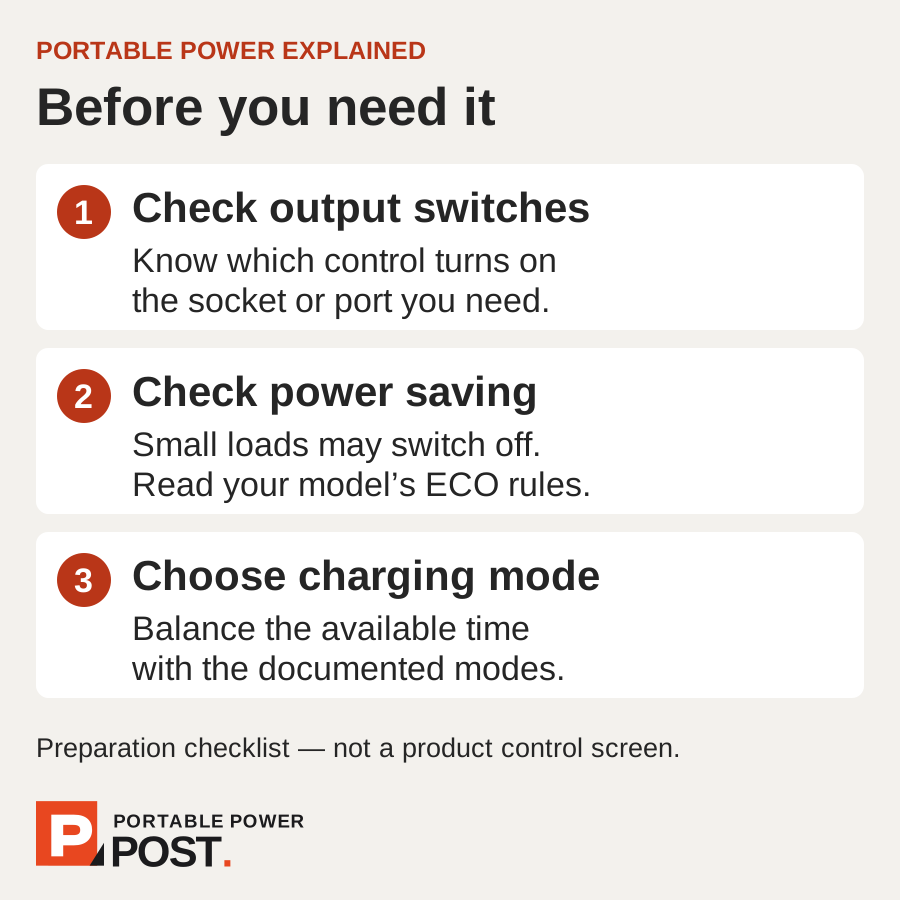
Before a trip or power cut, confirm how to switch on the output you need, whether automatic shutdown suits your load, and which charging mode fits the time available. Save the manual and try your complete setup beforehand. The example here uses the BLUETTI Elite 100 V2 EU/UK manual V3.0; other models can behave differently.
Why is my device plugged in but not receiving power?
The Elite 100 V2 has separate power, AC and DC buttons. Turning the station on does not replace checking the relevant output. Identify the controls while you have light and time, and make sure anyone else using the station knows the sequence.
Should I turn ECO mode off for a router or light?
BLUETTI says ECO is enabled by default and can switch outputs off with little or no load. The manual advises disabling it for small loads under 60 W or appliances needing uninterrupted power, naming lights and refrigerators as examples. Check the AC and DC ECO settings separately for your setup. This is model-specific guidance, not a general 60 W rule for every power station.
Leaving an output active can also use energy when the appliance draws very little. See what a station can run and for how long for an illustrative low-load calculation. The manual also says AC ECO is unavailable while charging from AC.
Which charging mode should I choose?
The manual’s charging table lists these manufacturer estimates. They depend on conditions and are not our measurements.
- Standard: default mode; AC, solar and combined input are each listed at up to 600 W, with a two-hour charging estimate.
- Turbo: up to 1,200 W AC, 1,000 W solar or 1,200 W combined; the stated estimate is 80% in 45 minutes.
- Silent: app-only; AC, solar and combined input are each listed at up to 600 W, with a two-hour estimate.
The combined limit is not the sum of the two input limits. Start with Standard when its stated charging time fits your plan; Turbo’s estimate may matter when the charging window is short. Silent is a mode name, not a promise of zero noise.
Does Power Lifting give me a higher continuous output?
No. The manual limits Power Lifting to suitable pure resistive loads rated between 1,800 W and 2,700 W while the actual output remains 1,800 W. It is off by default. Do not treat the higher appliance figure as extra continuous power or assume it establishes motor-starting compatibility.
Can I rely on it as an automatic backup?
BLUETTI states that the Elite 100 V2 switches to battery power within 10 milliseconds during an outage. That is a manufacturer specification, not a transfer time we measured. Its manual warns that it is not for equipment such as data servers or workstations that requires a high-performance UPS. Check your equipment’s requirements and try the complete setup before relying on it.
UPS modes are selected in the app. The manual describes Standard, Time Control, PV Priority and Customized modes; these change charging and discharge behaviour, not the amount of battery capacity.
Never connect this unit’s AC output to a wall socket or use it to feed your house wiring. Plug appliances directly into the station. Charging its AC input from a wall socket is different from connecting an output to the mains. A UPS label does not establish suitability for life-critical equipment.
Which controls are on the unit, and which use the app?
For the BLUETTI Elite 100 V2 EU/UK model, the manual gives this split:
- On the unit: main power and AC/DC output buttons; Standard/Turbo charging, ECO and Power Lifting settings; Wi-Fi and Bluetooth toggles. The settings menu also includes output frequency; follow the regional manual rather than changing it casually.
- Use the app: Silent charging, UPS mode selection, Grid Self-Adaption, maximum grid input current, detailed ECO settings and firmware updates. Silent is explicitly app-only. The ECO button switches AC/DC ECO together; the app can control them separately.
This describes the controls documented by BLUETTI, not every app connection requirement. It does not prove that every app function works without internet or account setup.
See what works without Wi-Fi for the setup checks to make before a trip.
Which setting helps when charging from a generator?
BLUETTI recommends enabling Grid Self-Adaption in the app for generator charging. The manual also describes using it with unstable generator/grid power or when consumption exceeds charging power. It is not permission to use an incompatible supply: the generator must provide a pure sine wave with matching voltage and frequency.
Check the generator’s available output against charging demand. The manual says to reduce Max. Grid Charging Current in the app if the generator cannot supply the selected charging power. Follow both manufacturers’ operating instructions.
What charge level should I use for storage?
The Elite 100 V2 manual says to charge to 40–60% before storage, switch off, disconnect cables and fully cycle the battery every three months. Storage advice is different from keeping a station ready for a power cut; do not apply one brand’s percentage to every model or use case.
If charge reaches 0% during storage or startup, BLUETTI says to shut down immediately and recharge within 48 hours. It also instructs keeping the unit at 5–35°C for six hours before charging, recommends AC charging, and specifies over 100 W input if solar is used. Follow that full recovery procedure rather than just the time limit.
What should I do before packing it?
- Check the regional manual and save a local copy.
- Try the equipment you intend to power, including its startup.
- Check output switches and ECO settings with that equipment.
- Choose the charging mode and practise required app controls.
- Pack the correct cables and leave enough charging time.